BRUSH & LAYER BOUNDARIES
What Happens When a Large Brush Crosses a Body/Overlay Boundary?
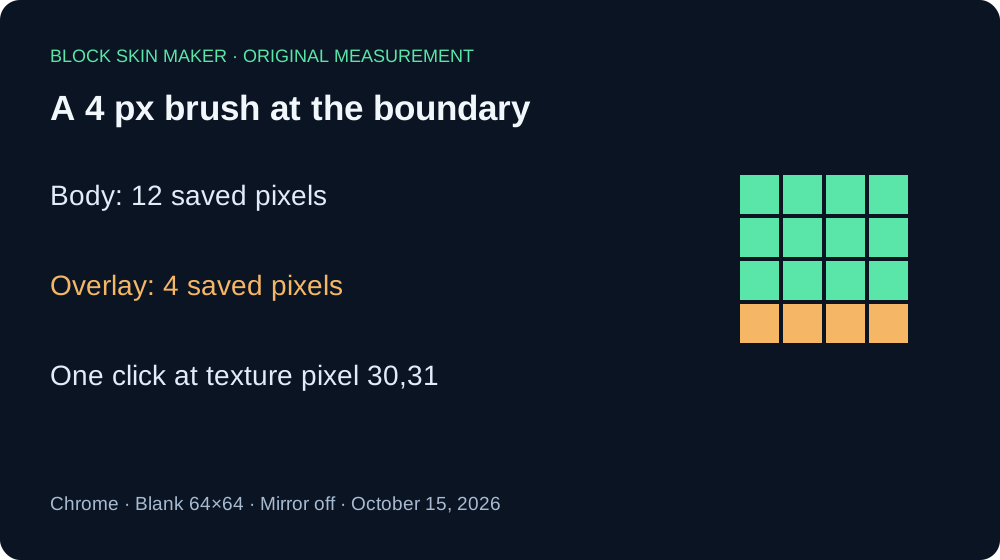
The brush is clipped pixel by pixel to the selected layer. In our 64×64 test, a 4 px brush straddling the boundary saved 12 Body pixels or 4 Overlay pixels. A large Overlay brush can paint a partial mark even when its center is on Body. Use a 1 px brush for precise boundary work.
Six downloads from one boundary
We tested the live Minecraft skin maker in Chrome on October 15, 2026. Each sample began with a fresh blank 64×64 texture. We selected Pencil, color #59E6A8, 100% opacity, and Mirror off. We made one click at texture coordinate 30,31, then downloaded the PNG. Body and Overlay were tested separately at brush sizes 1, 4, and 8 px.
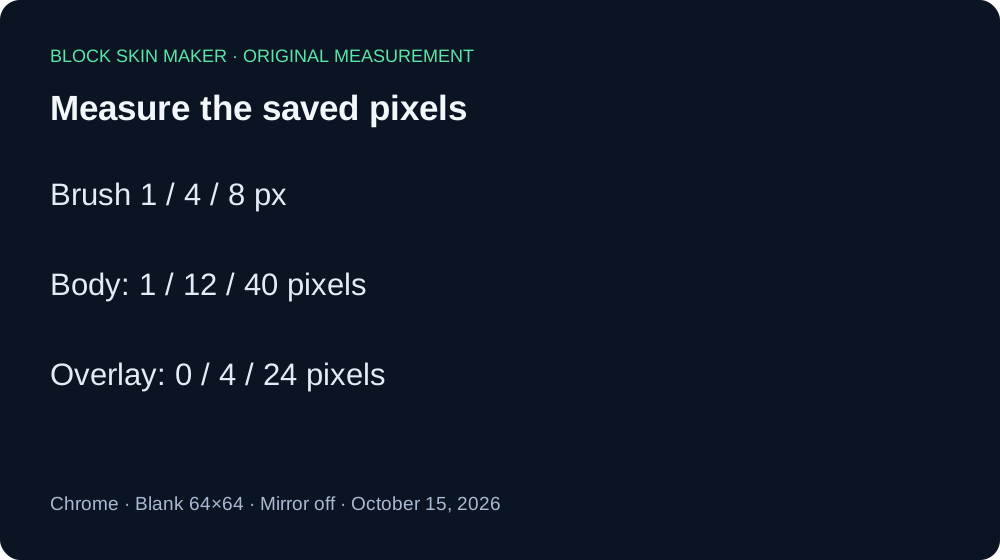
For Body, the 1 px download contained exactly one nontransparent pixel: 30,31. The 4 px sample contained 12 pixels, covering columns 28 through 31 and rows 29 through 31. Its nominal 4×4 footprint therefore saved three rows rather than four. The 8 px Body sample contained 40 pixels: columns 26 through 33 and rows 27 through 31.
For Overlay, the 1 px download was entirely transparent. At this location, the clicked pixel belongs to Body. However, the 4 px Overlay sample was not blank: it contained four pixels, columns 28 through 31 on row 32. The 8 px Overlay download contained 24 pixels, columns 26 through 33 and rows 32 through 34. The larger footprint reached valid Overlay pixels below the clicked center.
| Brush | Body | Overlay | Full footprint |
|---|---|---|---|
| 1 px | 1 | 0 | 1 |
| 4 px | 12 | 4 | 16 |
| 8 px | 40 | 24 | 64 |
Every saved image remained 64×64. Every nontransparent pixel decoded to RGBA 89,230,168,255. We counted decoded alpha values, not checkerboard squares in a screenshot. In these three paired samples, the Body and Overlay counts add up to the square footprint. That observation applies to this measured boundary; it is not proof that every position divides into two complete regions.
The public editor script checks each candidate pixel against the selected layer's mask. It does not require the center pixel itself to be in that mask. This explains our measured partial marks. These are single-click results at one coordinate in one browser session. We did not test dragging, Mirror, imported textures, higher resolutions, other editors, or in-game rendering.
Inspect the original downloads: body 1 px · body 4 px · body 8 px · overlay 1 px · overlay 4 px · overlay 8 px. The measurement record preserves all painted coordinates, colors, dimensions, and SHA-256 hashes.


Paint accurately near a boundary
- Download a backup of the version you want to keep.
- Select Body or Overlay before drawing. These passes occupy different areas of the flat texture.
- Use a 1 px Pencil for the edge. Increase zoom if the target cell is hard to place.
- If a larger brush leaves a partial mark, use Undo before continuing, reduce the brush, and redraw.
- Inspect the downloaded PNG before replacing your saved baseline.
Quick answers
Does selecting Overlay let me paint the Body pixels?
Our Overlay samples left the Body portion transparent. Selecting a pass restricts the pixels the brush can change. See the Body versus Overlay guide for the basic distinction.
Why did I get a thin stripe instead of a square?
At our measured boundary, only the bottom row of the 4 px footprint belonged to Overlay. The exported stripe was four pixels wide and one pixel high. Check your selected layer and reduce brush size before treating a partial mark as a broken export.
Does zoom make the brush cover more texture pixels?
Zoom changes the on-screen view. Our separate zoom and export test checks saved dimensions. This experiment held zoom constant and changed brush size.
For recovery, read Undo and Redo after painting again. For removal, compare Eraser and Clear Layer.