LAYER GUIDE
Body vs Overlay Layers in a Minecraft Skin Creator
Short answer: use the Body layer for the base colors and shapes that define the skin. Use the Overlay layer for optional details that sit above that base. In this editor, your strokes and Clear layer action affect the layer currently selected.
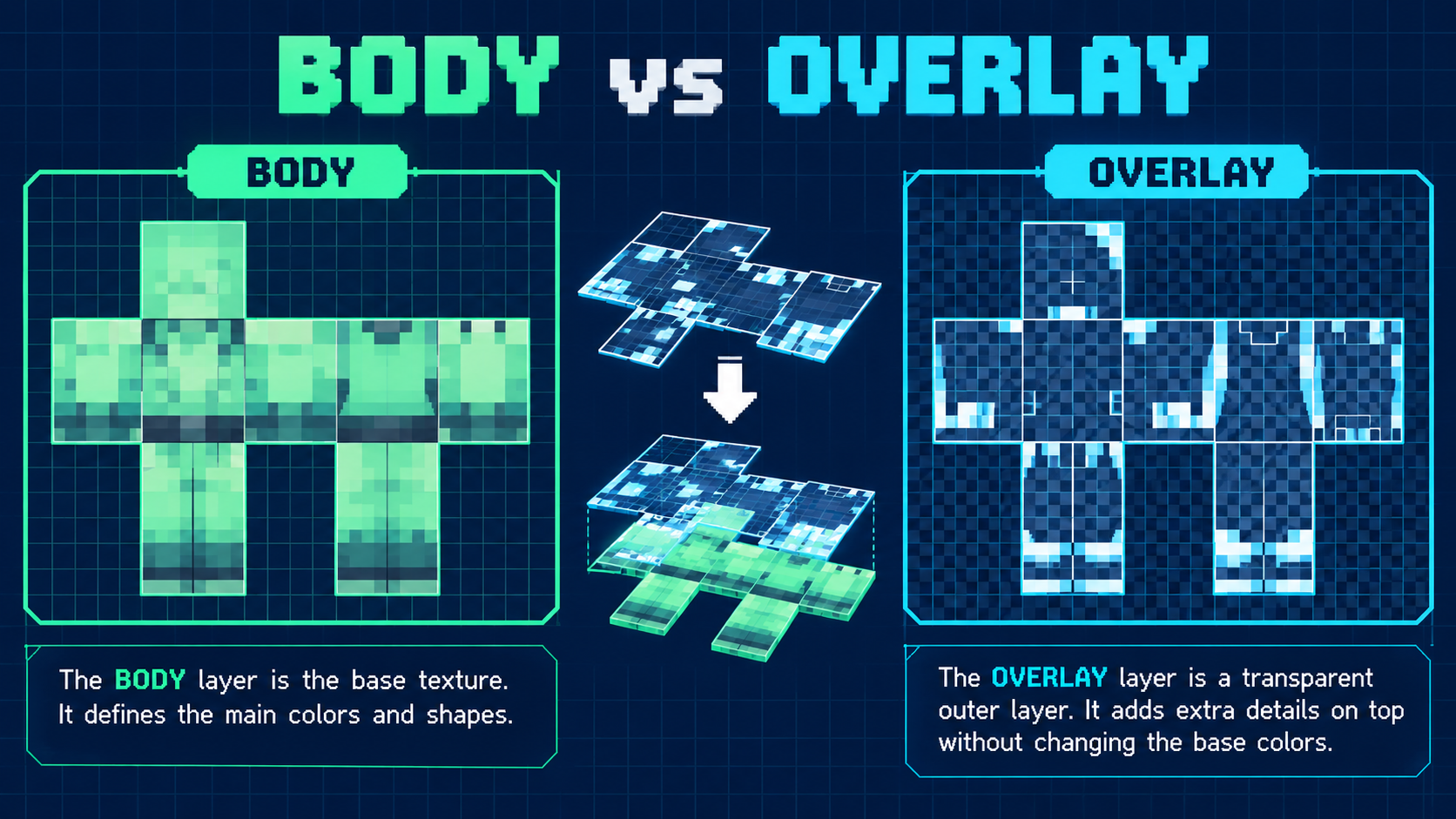
What is the difference between the Body and Overlay layers?
The Body layer is the foundation. Put the main color blocks and the details that must always remain visible there. The Overlay layer is a separate editing pass for extra pixels above the base. Selecting one layer does not rename or merge the other; it changes which mapped regions accept your next strokes.
That distinction matters because a finished texture can contain pixels in both sets of regions. If you draw while the wrong layer is active, the mark may appear somewhere other than the region you expected—or seem missing when you review only the other pass.
Use this order: Body first, Overlay second, review last
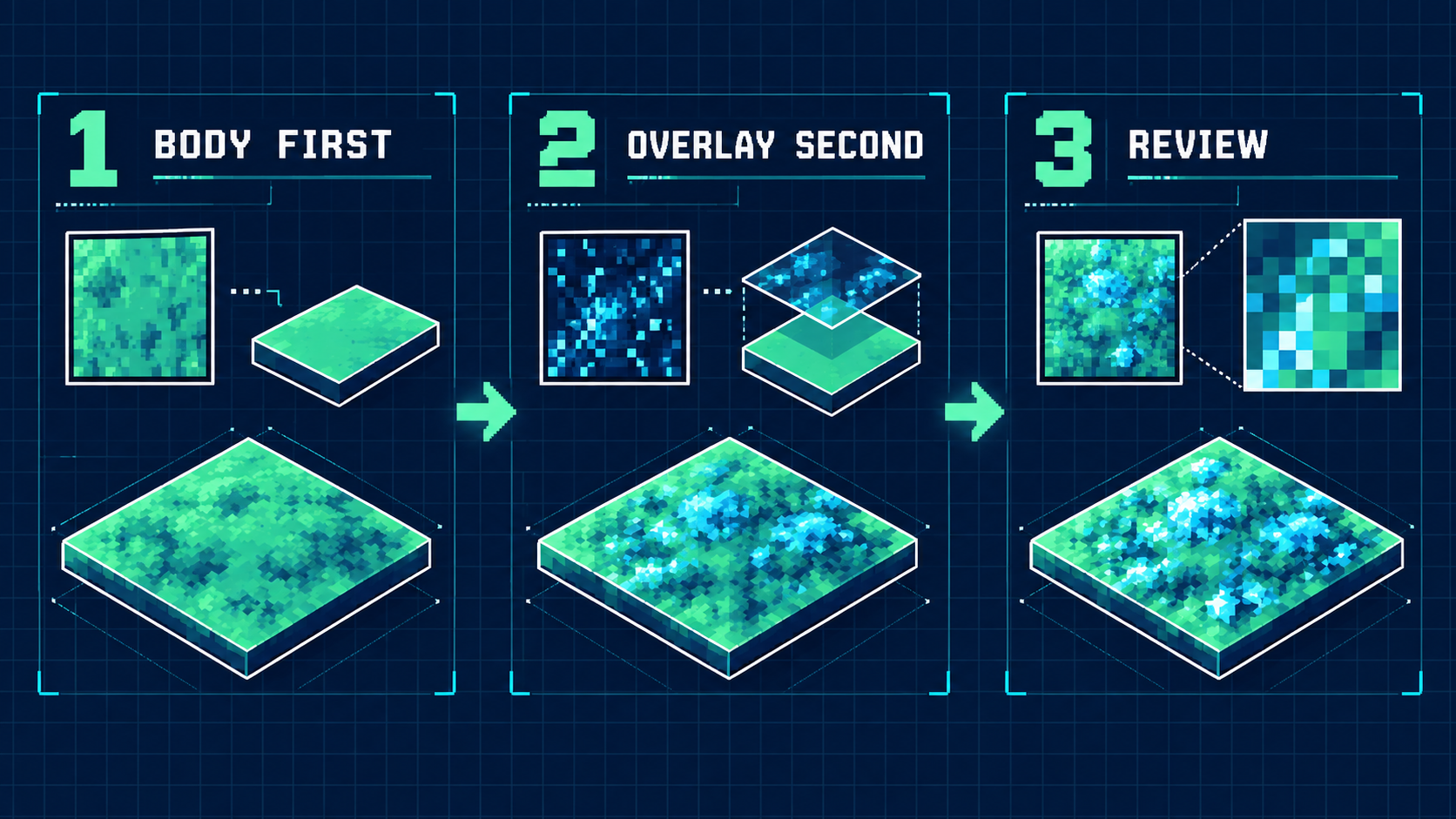
- Finish the base on Body. Establish the large color areas before adding decorative detail. This gives the overlay something complete to sit above.
- Switch to Overlay deliberately. Check the Selected readout, then add only the details that belong in the outer pass.
- Review both passes. Zoom out to check the complete texture, then zoom in and use Pick color for any edge corrections.
Fast safety check: before the first stroke of a new pass, look at the layer toggle and the Selected label. That two-second check prevents the most expensive layer mistake.
Three layer mistakes and how to fix them
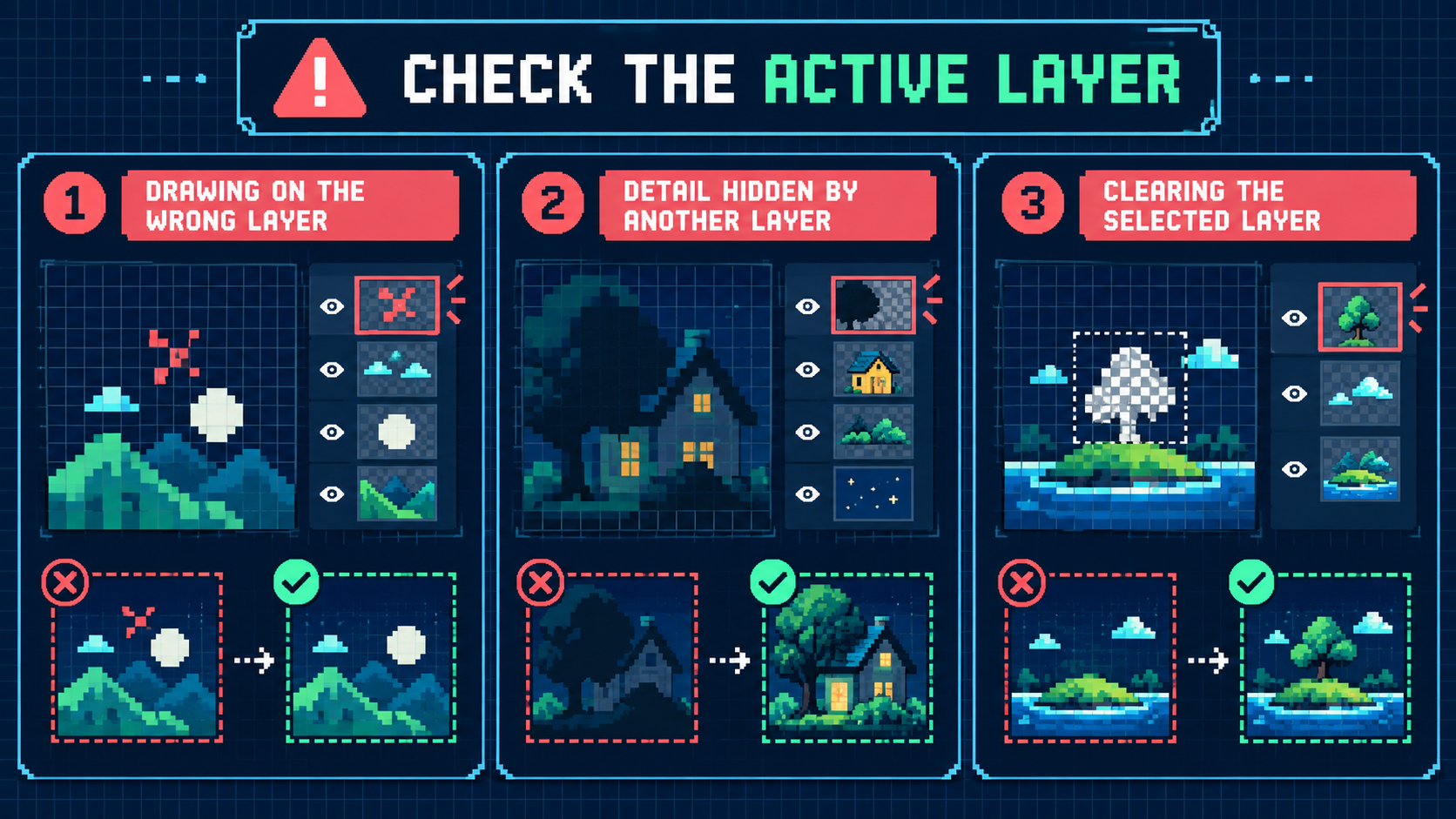
1. The stroke landed on the wrong layer
Use Undo immediately, select the intended layer, and draw the stroke again. Painting over the mistake can hide it temporarily without removing it from the wrong region.
2. A detail appears to be missing
Confirm whether you are reviewing Body or Overlay. Then use the zoom control and Pixel grid to locate the expected region. The mark may be present in the other editing pass.
3. Clear layer removed more than expected
Clear layer works on the selected layer in this editor. Read the Selected label before using it. If you clear the wrong pass, use Undo before making another edit.
When should I use Mirror stroke?
Use Mirror stroke when the same texture mark should be repeated across the canvas. Layer choice still comes first: mirroring repeats the stroke within the active layer, so confirm Body or Overlay before enabling it.
Body vs Overlay checklist
- Body: main colors, foundation, and must-show shapes.
- Overlay: optional outer-pass details.
- Before drawing: check the active layer and Selected label.
- Before clearing: verify the selected layer, then keep Undo available.
- Before export: review both passes at a smaller zoom.