PNG INPUT GUIDE
Which PNG Sizes Does This Minecraft Skin Creator Accept?
Short answer: Block Skin Maker's Minecraft skin creator lists one square PNG at 64×64, 128×128, 256×256, or 512×512 as accepted input. For a blank canvas, choose a size in Start. Read the Canvas status before drawing. The editor says exported PNGs keep the current canvas dimensions; this does not establish whether a particular Minecraft edition or another service accepts every listed size.
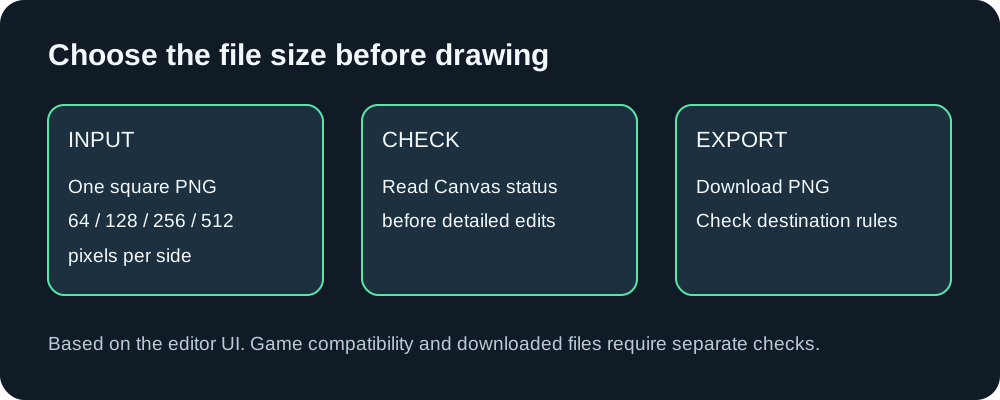
Opening a file and starting blank are different choices
If you already have a skin file, use Open skin PNG. Compare its file type and width and height with the input requirements shown below that control. A file with a PNG-looking name alone is not evidence that its contents match those requirements.
If you want to start without an existing file, the Start panel offers blank-canvas size buttons. In our browser check, selecting 128 changed the Canvas readout to 128×128 and displayed “Blank skin is ready at 128×128.” This check used a new, blank browser workspace; it does not verify what happens to an existing drawing when you change size.
Check the size before spending time on details
Keep the target application's requirements separate from the editor's input list. First determine which dimensions your intended destination accepts. Then choose the corresponding blank canvas or an existing PNG that meets those requirements. Check Canvas before beginning detailed edits.
For example, if your destination requires a 64×64 image, the existence of a larger blank-canvas button is not a reason to select it. The editor's size choices describe its workspace, not a guarantee of compatibility elsewhere.
Does zoom change the exported PNG size?
The interface separates Canvas zoom from Canvas dimensions and states that export preserves the original pixel dimensions. Use the Canvas readout to identify your working image size, rather than judging it by how large the grid appears on screen. A downloaded-file pixel check has not yet been completed for this guide.
What if my file is rejected?
Check the stated conditions: a single PNG, square dimensions, and a size from the listed options. If your file meets those conditions but fails, record the exact message before making changes. We have not tested rejection cases or verified any automatic resizing behavior, so this guide does not promise a conversion or a particular error message.
Open the Minecraft Skin Creator and check the Start panel before importing your file.